
Content Libraries Overview#
In Studio, a Content Library is a centralized repository where you can create, manage, and reuse course content across multiple courses. Instead of rebuilding the same material in every course, you author content once in a library and add it to as many courses as you need. When you update content in a library and publish those changes, courses that use that content can sync to the latest version centrally.
Content Libraries support all levels of course content, including individual components (such as text, problems, and video), units, subsections, and sections.
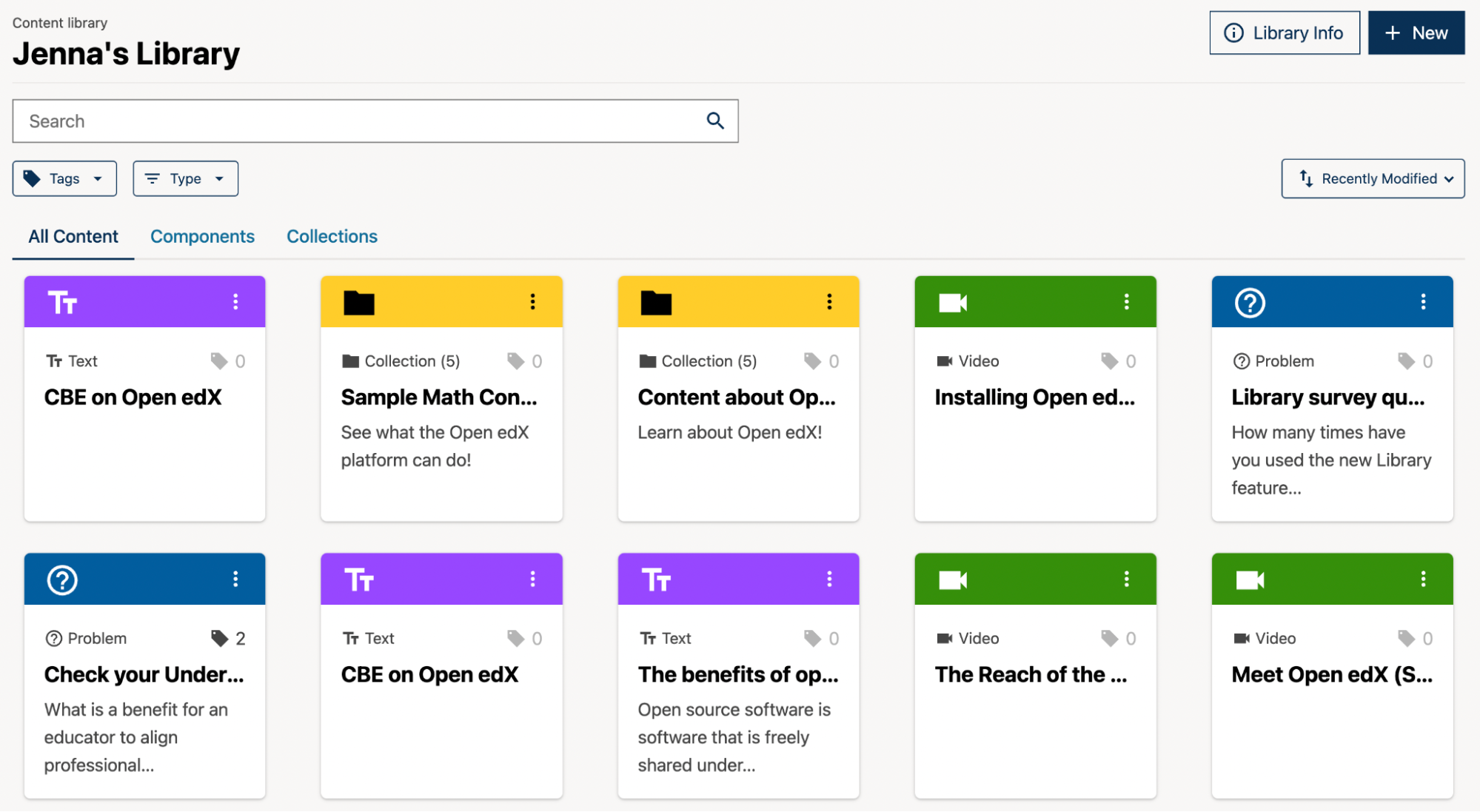
What You Can Do with Content Libraries#
Create and Organize Content#
You can author any level of course content directly in a library, using the same editing tools available in Studio. Libraries support a wide range of content types, including text components, problems, video, Open Response Assessments, drag and drop, polls and surveys, word cloud, and Google Integration blocks.
Within a library you can organize content using collections, making it easier to group and discover related material. You can also add tags to library content to support content alignment and discoverability across your organization.
Reuse Content Across Courses#
Once content is published in a library, you can add it to a course just as you would add any other content in Studio. A single piece of library content can be reused across many courses simultaneously. Because the content remains linked to its source library, all courses benefit from updates centrally rather than requiring manual edits in each course separately.
Customize Content for a Course#
Library-sourced content can be customized for a specific course without unlinking it from the library. The following types of overrides are supported.
Title overrides. You can rename any library-sourced section, subsection, unit, or component in a course. The custom title is preserved when you sync library updates.
Text content overrides. You can edit the text content of a library-sourced text component in a course. Overridden text components are excluded from future content syncs, so your local edits are preserved. For standalone text components, you can also choose at sync time whether to keep your local content or update to the latest library version.
Sync Updates to Courses#
When content in a library is updated and published, courses that use that content are notified that updates are available. Course authors can review the changes side-by-side with the current course content before deciding whether to accept or ignore each update. Syncing can be initiated from the course outline, the unit page, or the Library Updates page (accessible from the Content menu in Studio).
Accepting a sync on a structural block — such as a section or subsection — applies updates to all content within it, except for any components that have local overrides.
Who Can Access a Library#
Libraries have their own user access settings, separate from courses. Access is managed through the Team Management panel in the Administrative Console, which is accessible via the ⓘ Library Info sidebar in Studio. Any change to a user’s library access applies to that library only and does not affect their access to other libraries or courses.
Libraries use four roles to control what each team member can do.
Library User — can view and use library content in courses.
Library Contributor — can create and edit content in the library.
Library Author — can create, edit, and publish content in the library.
Library Admin — can manage content and control team membership, including adding and removing users and changing roles.
Only Library Admins and global site admins can add or remove team members or change their roles.
See also
Work with Content Libraries (reference)
Create a New Library (how-to)
Create and edit content in a Library (how-to)
Create and edit units in a Library (how-to)
Create and Edit New Subsections and Sections (how-to)
Add Library content to a course (how-to)
Manage Library User Access (how-to)
Maintenance chart
Review Date |
Working Group Reviewer |
Release |
Test situation |
2026-04-08 |
sarina |
Verawood |
Pass |